
Battle Cards That Sales Teams Actually Use: A Practical Guide
Most battle cards collect dust after week one. Learn the FIA framework, three ready-to-use templates, and automation strategies that keep your competitive cards current so reps actually pull them up mid-call.
You spent two weeks building a beautiful battle card deck. Custom formatting, detailed feature comparisons, even a section on your competitor's org chart. You sent it to sales with a Slack message that said "this will change how we sell." Three months later, your CRM shows zero reps opened it past slide two.
The problem is not effort. It is format. Battle cards only drive revenue when reps pull them up mid-call, scan for the answer they need, and deliver it before the prospect moves on. Most battle cards fail because they are built for product marketers who want to be thorough, not for salespeople who have 30 seconds before a prospect asks "why not [competitor]?"
This guide covers how to structure, build, and maintain battle cards that reps actually reach for. You will get frameworks, templates for three common competitive scenarios, and automation options that keep cards current without a dedicated analyst on payroll.
Why Most Battle Cards Collect Dust
Battle cards fail for predictable reasons. They are too long, too generic, updated quarterly (or never), and buried in a shared drive nobody bookmarks. The deck you spent weeks on competes with every other document your reps are supposed to read, and it loses to the one thing that always wins: doing nothing.
Reps need answers in under 10 seconds during a live call. If the card requires scrolling, interpretation, or clicking through to a second page, it is already dead. The format needs to match the use case: a rep on a call with a prospect who just said "we are also looking at [Competitor X]." That rep needs a scripted response, not a market analysis.
Then there is the "launch and forget" trap. Teams invest heavily in creation but treat maintenance as optional. Within weeks, competitors ship updates, change pricing, or shift their messaging. Your battle card still references their old pricing tier or a feature they deprecated last month. One bad experience, where a rep cites outdated info in front of a prospect, and the entire deck loses credibility.
Battle cards should be living documents tied to real competitor changes, not static PDFs reviewed once a quarter. This is where competitive intelligence needs to flow directly to the sales floor, not sit in a strategy deck that leadership reviews monthly.
The Anatomy of a Battle Card Reps Will Use
Not all battle cards serve the same purpose. Before you build one, decide which type your team needs right now.
Three Types of Battle Cards
| Type | Audience | Focus | When to Use |
|---|---|---|---|
| BDR Card | Business development reps | Discovery questions that surface pain points your product solves | Early-stage outreach and qualification calls |
| Sales Card | Account executives | Objection handling and depositioning scripts | Mid-funnel competitive deals |
| Product Card | Technical sellers / SEs | Feature-by-feature comparisons for technical buyers | Late-stage technical evaluations |
The FIA Framework
Klue's FIA Framework gives you a structure that forces brevity and actionability for every section of your card (Source: Klue):
- Fact: What is objectively true about the competitor? ("They offer a free tier with up to 5 users.")
- Impact: Why does this matter to the buyer? ("Sounds appealing, but their free tier lacks SSO and audit logs, which means your security team will flag it.")
- Act: What should the rep say or do? ("Ask: 'How does your security team handle vendor approvals for tools without SSO?'")
Sections Every Card Needs
- Competitor overview (3 lines max): what they do, who they sell to, their positioning
- "Why We Win" (2-3 proof points): specific advantages with evidence
- "Where They Win" (honest): acknowledging competitor strengths builds rep credibility with prospects
- Objection responses (verbatim scripts): the most-used section on any card
- Landmine questions: questions that expose competitor weaknesses without badmouthing them
How to Build Your First Battle Card in Under an Hour
You do not need a competitive intelligence team or expensive tooling to build a useful battle card. Here is how to create one that works, starting today.
Step 1: Pick Your Top Competitor
Choose the competitor your reps lose to most often, not the one leadership talks about in board meetings. Check your CRM for deals lost to competitors in the last 90 days. The competitor with the highest loss count is your first card.
Step 2: Interview Six Reps
Talk to three reps who recently lost to that competitor and three who recently won against them. Record the exact objections prospects raised and the specific responses that worked. These conversations give you the raw material no amount of desk research can replace.
Step 3: Structure on a Single Page
Keep it to one page. Xtensio offers a free customizable template with sections for company info, pricing, and competitive positioning that you can adapt in minutes (Source: Xtensio). The constraint of a single page forces you to prioritize what matters.
Step 4: Write Verbatim Objection Scripts
Add 2-3 word-for-word objection-response scripts. Not bullet points. Not summaries. Actual sentences a rep can say on a call. This is consistently the most-used section on any battle card, so invest your best writing here.
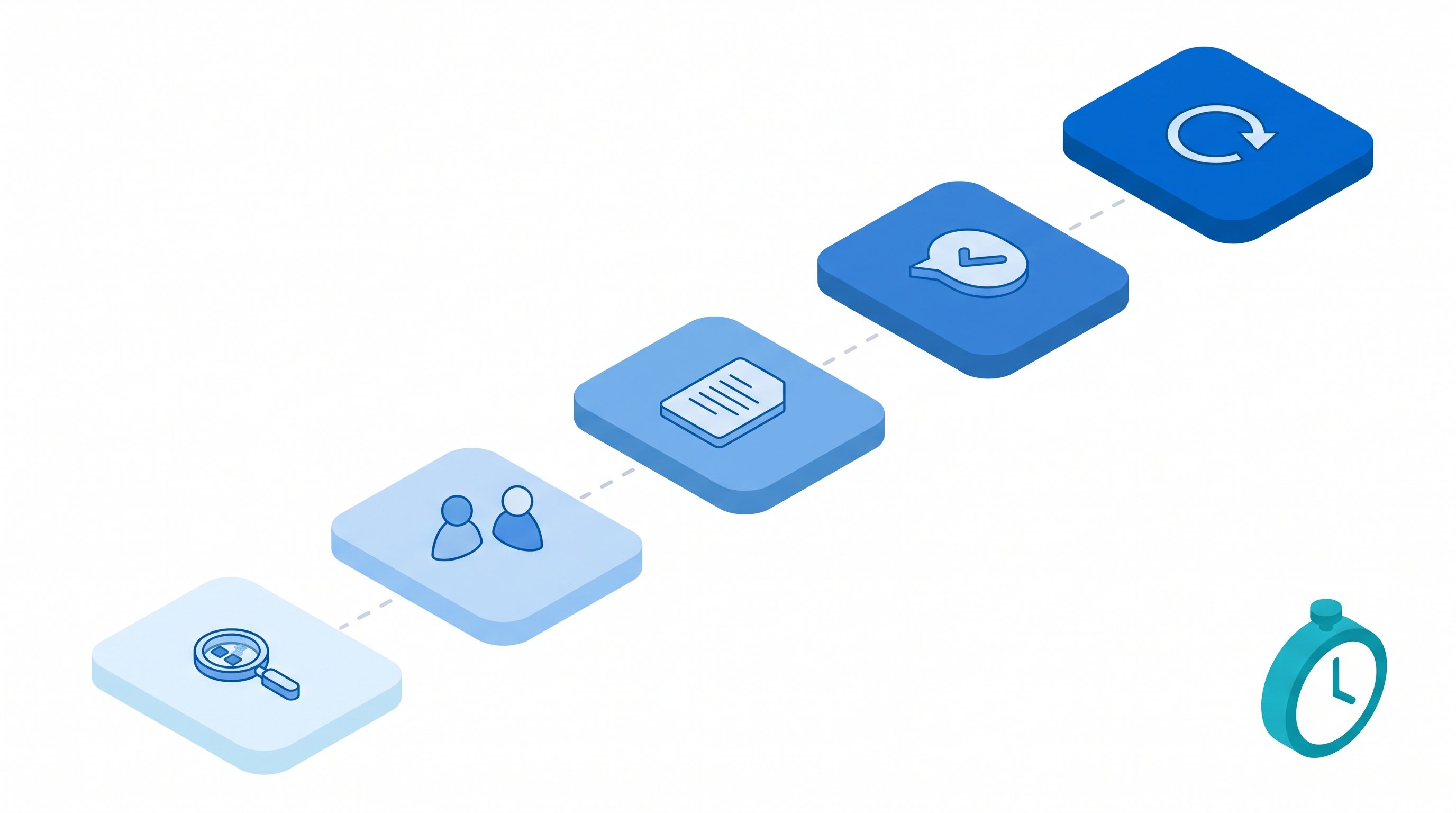
Step 5: Set a Maintenance Cadence
Set a calendar reminder to review and update monthly. Better yet, connect to a tool that flags competitor changes automatically so you know when a card needs attention.
SpyGlow's battle cards feature auto-generates cards from tracked competitor changes, so you can skip the manual research step and go straight to scripting responses. It is not the only option, but it cuts the research phase from hours to minutes.
Keeping Battle Cards Current Without a Full-Time Analyst
The real cost of stale cards is not wasted effort. It is lost trust. After one bad experience where a rep cites outdated information in front of a prospect, your entire battle card program is dead. Reps will not risk it again.
Manual update cycles do not scale. If you review cards quarterly, competitors have changed pricing, launched features, or shifted messaging multiple times between reviews. You are always behind.
Automated Monitoring Feeds Card Updates
The more practical approach is tying your battle cards to automated competitor monitoring. When a competitor changes their pricing page, adds a feature, or updates their messaging, the relevant card section gets flagged for review. You are not rebuilding from scratch. You are reviewing a specific change and deciding whether your card needs an update.
Tools like SpyGlow monitor competitor websites for pricing, feature, and messaging changes, then surface those changes so your cards stay accurate without manual checking. Crayon and Klue offer similar monitoring capabilities at enterprise price points (Source: Salesmotion).
Track What Reps Actually Use
Engagement analytics matter more than most teams realize. Track which cards reps actually open and which sections they spend time on. Low-usage cards need redesign, not more content. Sales enablement platforms like Masset provide usage analytics so you can see exactly which cards are working and which are being ignored (Source: Masset).
Want battle cards that update themselves? Try SpyGlow free and see how automated competitor tracking keeps your sales team armed with current intel.
Measuring Whether Your Battle Cards Work
The only metric that matters is competitive win rate against specific competitors, measured before and after card deployment.
Primary Metric: Competitive Win Rate
Tag deals by primary competitor in your CRM. Measure win rate for 90 days before you deploy battle cards, then measure the same metric for 90 days after. You are looking for directional improvement, not a precise ROI calculation, because other factors like pricing changes, product improvements, and market shifts also influence outcomes.
Supporting Metrics
- Card open rate: Are reps finding and opening the cards? If open rates are below 30%, your distribution method is the problem, not the content.
- Time-to-access: Can a rep pull up the right card in under 15 seconds? Test this by asking a rep to find the card for [Competitor X] while you time them.
- Rep feedback scores: Run a quarterly one-question survey: "How useful is the [Competitor X] battle card? 1-5." Keep it short so you actually get responses.
Common Pitfall
Do not attribute all win-rate changes to battle cards. If you also changed pricing, launched a new feature, or hired three senior AEs in the same quarter, your win rate moved for multiple reasons. Battle cards are one input. Track the trend and combine it with qualitative feedback from reps.
For a deeper look at how different tools handle battle card analytics, see our comparison of SpyGlow vs. Klue.
Battle Card Templates for Three Common Scenarios
Not every competitive deal looks the same. Here are three templates designed for the scenarios your reps face most often.
Template 1: The Feature War
Use this when you and a competitor are neck-and-neck on features and the prospect is comparing checklists.
- Competitor summary (3 lines): What they offer, their target market, latest release
- Shift the conversation from features to outcomes: implementation speed, support response times, hidden costs (migration, training, add-ons)
- Top 3 objections: "They have [Feature X] too" / "Their roadmap includes [Feature Y]" / "The feature sets look identical"
- Landmine questions: "How long did their last implementation take for a company your size?" / "What is included in their base price vs. add-ons?"
- Proof point: A customer who evaluated both and chose you, with the specific reason why
Template 2: The Price Objection
Use this when the competitor undercuts you on price and the prospect is anchored on cost.
- Competitor summary (3 lines): Their pricing model, what is included, what is extra
- Reframe around total cost of ownership: switching costs, training time, feature gaps that require workarounds or additional tools
- Top 3 objections: "They are 40% cheaper" / "We have budget constraints" / "The free tier covers what we need"
- Landmine questions: "What is the cost of the integrations you need?" / "How do they handle support for accounts at your price tier?"
- Proof point: A customer who switched from the cheaper option and saved time or money long-term
Template 3: The Incumbent
Use this when the prospect already uses a competitor and you need to unseat them.
- Competitor summary (3 lines): What the prospect currently uses, known pain points, contract renewal timing
- Lead with migration ease: how long it takes, what support you provide, data portability
- Top 3 objections: "Switching is too risky" / "We have already invested in setup" / "Our team is trained on the current tool"
- Landmine questions: "When was the last time they shipped a feature you actually asked for?" / "How much time does your team spend on workarounds?"
- Proof point: A customer who migrated with minimal disruption
Scaling Battle Cards Across Your Competitor Set
Start with your top 3 competitors, not all 15. In most markets, reps face the same 2-3 competitors in 80% of their deals. Covering those three well beats covering fifteen poorly.
Use a Tiered System
| Tier | Competitors | Card Depth | Update Frequency |
|---|---|---|---|
| Tier 1 | Top 2-3 (appear in most deals) | Full battle card with scripts and proof points | Weekly review |
| Tier 2 | Next 3-5 (appear occasionally) | One-page summary with key differentiators | Monthly review |
| Tier 3 | Remaining competitors | Basic positioning statement (2-3 sentences) | Quarterly review |
Distribution Is Half the Battle
The best battle card in the world fails if reps cannot find it. Embed cards in your CRM so they surface automatically when a competitor is tagged on a deal. Pin them in Slack deal channels. If you use a sales enablement tool, make sure it has search, so reps can type a competitor name and get the card in two clicks.
If reps have to leave their workflow to find a card, adoption drops. Meet them where they already work.
For teams tracking a growing competitor set, automated competitor monitoring reduces the manual overhead of keeping tabs on 10+ competitors at once.
Frequently Asked Questions
What should a sales battle card include?
At minimum: a 3-line competitor overview, 2-3 "Why We Win" proof points with evidence, top objection-response scripts written as verbatim sentences, and landmine questions that expose competitor weaknesses. Use the FIA (Fact, Impact, Act) framework to keep each section scannable (Source: Klue). Skip company history, org charts, and exhaustive feature grids. If it does not help close a deal, it does not belong on the card.
How often should you update sales battle cards?
Review cards monthly at minimum. Competitors change pricing, ship features, and update messaging constantly, so quarterly reviews leave your reps exposed. The better approach is connecting your cards to automated competitor monitoring so you get alerted when something changes. That way, updates are triggered by real events, not calendar reminders.
What is the difference between a battle card and a competitor profile?
A competitor profile is research-oriented: market position, funding, team size, strategy, and product roadmap. A battle card is action-oriented: it gives reps exactly what to say and ask during a live sales conversation. Profiles inform cards, but they are not interchangeable. Your product marketing team reads profiles. Your sales team uses cards. For more on how competitive intelligence flows from research to action, see our guide to competitive intelligence for startups.
How do you measure battle card effectiveness?
Track competitive win rate against specific competitors before and after card deployment. Measure over 90-day windows to account for deal cycle length. Support this with card open rates (are reps finding them?), time-to-access tests (can they pull it up in 15 seconds?), and a quarterly one-question rep survey. Look for directional improvement rather than exact ROI, since other variables always influence outcomes.
Can you automate battle card creation?
Partially. Tools like SpyGlow and Klue can auto-generate cards from tracked competitor data and flag sections that need updates when competitors make changes. You still need human input for objection scripts and proof points, since those come from real sales conversations, not web scraping. The best approach is automated research plus human-written talk tracks.
How many battle cards does a sales team need?
Start with cards for your top 3 competitors, the ones that show up most in your deals. Most reps face the same 2-3 competitors in the majority of their pipeline. Build full cards for those, one-page summaries for the next tier, and basic positioning statements for the rest. Expand as your competitor monitoring surfaces new threats worth tracking.
Stop manually maintaining battle cards. SpyGlow tracks your competitors' websites for pricing, feature, and messaging changes, then helps you generate and update battle cards automatically. Start tracking competitors in under 5 minutes.
Sources
- Klue - Sales Battlecards 101: Guide + Battlecard Templates
- Highspot - Visual Guide to Building and Measuring Effective Sales Plays
- Xtensio - Free Sales Battle Card Template
- Masset - Sales Enablement Content Access and Analytics
- Salesmotion - Best Competitive Intelligence Tools for Sales Teams (2026)
What Is Competitive Intelligence? A Complete Guide for Startups
Learn what competitive intelligence really is, why it matters for startups, and how to build a system that turns competitor data into winning decisions.
Competitor MonitoringSpyGlow vs Klue: Which Competitive Intelligence Tool is Better for Bootstrapped Startups?
SpyGlow vs Klue comparison 2026: Pricing (free to $299/mo vs $30K+), features, and which competitive intelligence platform is better for bootstrapped startups. Honest breakdown.
Competitor MonitoringBest Competitive Intelligence Tools for Startups in 2026 (and Why Agentic Platforms Win)
A founder's guide to the best competitive intelligence tools in 2026, the three categories that matter, and why agentic AI platforms like SpyGlow change the game.
Ship the response, not just the read.
Free forever for your first two rivals. No credit card. Five minute setup.