
Track competitor pricing changes without constantly checking their websites?
Stop losing deals to silent pricing changes. Learn a five-step workflow to catch competitor moves automatically and alert your sales team before the next demo.

TL;DR: Many competitor pricing pages change silently, with no announcement or public changelog. Manual checking routines break the moment someone goes on vacation. This post walks through a five-step workflow that catches pricing moves automatically, scores them by strategic weight, and gets the right context to your sales team before the next demo.
Your rep lost a deal last Tuesday. Not because your product was wrong. Because the competitor dropped their entry tier two weeks ago and nobody caught it. The prospect pulled up a screenshot in the meeting. Your rep had no answer.
That's not a sales problem. That's a workflow problem. And it happens constantly, at companies that think they have a process for this.
The process is usually one person's calendar reminder. Or a Slack message that says "someone should check their pricing page." Neither of those is a system. Both collapse the moment that one person is on PTO.
Here's how to build something that doesn't require anyone to remember.
The manual checking problem nobody talks about
Pricing pages don't send notifications when they change. There's no changelog, no press release for a 15% price drop, no tweet announcing a new enterprise tier. The page just... updates. Quietly. Usually on a Tuesday.
The failure mode is invisible until it isn't. Your sales deck has the old numbers. Your battle card has the old positioning. Someone finds out mid-deal.
The deeper problem with manual spot-checks is that pricing pages change across multiple dimensions at once. According to Visualping's breakdown of CI sources, a pricing page can shift on tier names, price points, billing cadence, feature allocation per tier, CTA copy, and page layout simultaneously. A human doing a weekly scan might notice the price changed and miss that the free plan quietly disappeared. Or catch the new tier name and miss that the seat limit was removed.
Spot-checks capture a snapshot. They don't capture a delta.
The Competitive Intelligence Alliance makes this point clearly: tracking pricing changes over time requires a systematic, repeatable method, not one-off pulls. A spreadsheet with last month's pricing is not a system. It's a liability.
There's also a distinction worth naming here: "checking" and "knowing" are not the same thing. Checking is "did anything change?" Knowing is "what changed, what does it signal, and what should we do before 9am tomorrow?" Most teams have the first. Almost none have the second. That gap is where deals get lost.
What actually lives on a competitor pricing page (and what signals matter)
Not every change on a pricing page is worth your attention. The skill is knowing which ones are.
The elements worth tracking systematically:
- Tier names and count (a new tier appearing is almost always a signal)
- Price points per tier, monthly and annual
- Billing cadence options (monthly-only, annual-only, or toggle)
- Free plan existence and its feature set
- Feature allocation across tiers (what moves between tiers matters as much as price)
- CTA copy ("Start free" vs "Talk to sales" is a positioning tell)
- Page layout and section order
Some of these are noise. A CTA button color swap is noise. A minor header rewrite is noise. But a free plan disappearing means they're pushing upmarket. A new enterprise tier appearing where there was none means they're moving up-market. A price drop of 17% with no announcement means they're under pressure, responding to a competitor, or testing conversion.
The contrast pattern holds: a footer tweak gives you noise. A new enterprise tier tells you their strategy shifted.
What makes this harder is that pricing changes rarely travel alone. The Competitive Intelligence Alliance's pricing analysis framework points to the value of cross-source verification: a price drop paired with new enterprise sales hires and a refreshed case study page isn't a coincidence. It's a composite signal. Any single one of those alone might be noise. All three together in a 30-day window is a move worth reacting to.

Why single-surface monitoring leaves you blind
Page-change detection tools are good at one thing: telling you a page changed. That's it. They don't tell you what changed. They don't tell you what it means. They definitely don't tell you what to do.
Visualping is useful for exactly this narrow task, and they'd be the first to tell you it's a monitoring tool, not an analysis tool. The gap between those two things is where your deals are won or lost.
According to aimultiple.com's breakdown of price monitoring tools, there's a meaningful distinction between price monitoring (did it change?) and price intelligence (what does it mean?). Most teams stop at monitoring and call it done. The teams who win deals have the second half.
The composite signal problem is the clearest example. A solo pricing alert is a data point. A pricing drop correlated with two new enterprise AE job postings and a revamped "for enterprise" case study page, all in the same 30-day window, is a strategic move. Single-surface tools can't see that correlation. They can only see the surface they're watching.
The multi-brand version of this is even worse. If you're tracking three product lines or five client brands, single-surface monitoring multiplies your alert volume without multiplying your insight. You get more pings. You don't get more clarity. You get more noise.
How to build a pricing change workflow that doesn't require you to check anything
The goal is a system that runs without a human remembering to trigger it. Here's the structure that actually holds up.
Step one: define your competitor list and pages. Not every competitor at the same priority. Tier-one competitors, meaning direct competition in your same segment, get monitored most frequently. Tier-two, adjacent competitors, get daily checks. The Competitive Intelligence Alliance recommends prioritizing a shortlist rather than trying to track everyone with the same depth. That's good discipline. Five competitors watched closely beat 20 watched poorly.
Step two: set monitoring frequency by tier. Tier-one direct competitors warrant checks every three to six hours. Tier-two warrant daily. The logic is simple: a direct competitor dropping their price this morning affects your demo this afternoon.
Step three: score changes by strategic weight. Not every change should generate an alert. A 1-10 scoring model works well here. A price drop of 15% or more on a direct competitor's core tier scores 8 or higher. A billing cadence change, like moving from monthly-or-annual to annual-only, scores 5 to 6. A CTA copy tweak scores a 2. Alerts should only fire at a score of 5 or higher. Below that, it's logged but not pushed.
Step four: route the alert to the right person with context attached. An alert that lands in a general Slack channel nobody owns is the same as no alert. The workflow needs a named owner per brand or competitor set, and a default action template: update the battle card, brief the AE team, flag for the weekly rollup.
Step five: update sales materials within 24 hours of a confirmed signal. A pricing change that doesn't reach the sales team before their next demo is a liability, not a process. The loop has to close automatically.
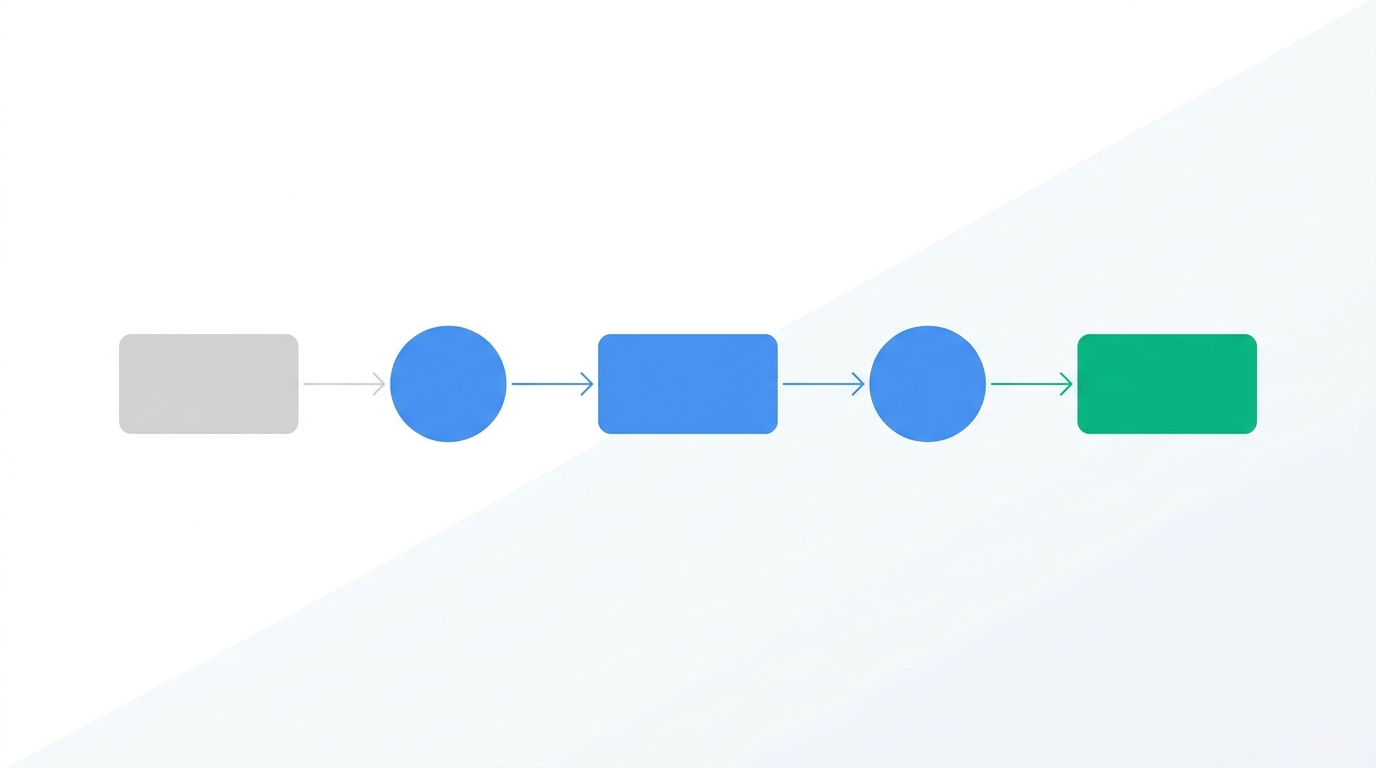
What intelligence looks like versus what alerts look like
Here's the concrete difference.
An alert says: "Competitor X pricing page changed."
Intelligence says: "Competitor X dropped their Starter tier from $79 to $59, removed the seat limit, and added SSO to the free plan. This appears to be a direct response to your Q3 campaign targeting SMB conversion. Recommended action: update your battle card's pricing section and brief AEs before their next demo."
The first version makes someone go investigate. The second version makes someone act. The distinction sounds simple. Building it into a workflow is harder.
SpyGlow's Monday brief format is built around the intelligence model: a weekly rollup across all tracked brands, each signal packaged with a one-line summary, a "why it matters" note, and a single recommended action. No raw alerts. No "something changed, go look." One summary. One reason. One action.
The battle card update loop matters here. A pricing change that doesn't reach the sales team within 24 hours is a credibility risk. A rep walking into a demo with a battle card that's two weeks out of date is worse than no battle card at all, because they'll trust it. The workflow has to close that loop without depending on a PMM remembering to update a Notion doc after they see a Slack ping.
For teams that want to query pricing history directly, AskGlow handles natural language questions like "What has Competitor X changed on their pricing page in the last 90 days?" and returns sourced answers. Not a scroll through Slack archives. Not a manual page comparison. Sourced answers.
The multi-brand version of this problem is worse
If you're an agency running CI for five clients, or a multi-product SaaS team tracking per product line, the arithmetic gets ugly fast. Five brands times five competitors each is 25 pricing pages to monitor. Manual routines don't just slow down at that scale. They collapse.
The tools most teams reach for at that point, Klue or Crayon, are often oriented toward enterprise CI teams. Klue's competitive intelligence resources and Crayon's blog both reflect this assumption throughout. It's not a criticism, it's a design choice. Their product assumes one brand, one workspace, one CI manager. Multi-brand teams end up with separate accounts, separate Slack channels, and no unified view. More noise, not more signal.
SpyGlow's workspace model is built differently. Up to 10 domains per account, each with its own competitor set, its own monitoring cadence, and its own intelligence feed. The Monday brief rolls up across all of them. One place, not five tabs.
SpyGlow's Teams plan is $299 per month for 10 domains monitored every three hours. That's $3,588 per year versus $60,000. The difference isn't the coverage. The difference is who the product was built for.
If you're earlier stage, the Growth plan at $149 per month covers five domains checked every six hours. The Pro plan at $59 per month covers three domains checked twice daily. There's also a permanent free tier covering two competitors and one domain, with daily checks. No trial clock.
FAQ
How often should I check competitor pricing pages?
It depends on how directly the competitor overlaps with your deals. Tier-one competitors, the ones you're losing and winning deals against every week, warrant monitoring every three to six hours. Tier-two competitors that sit adjacent to your category are fine on a daily cadence. Checking everyone at the same frequency is a good way to generate alerts you stop reading.
What's the difference between a price monitoring tool and a CI platform?
Price monitoring tools tell you something changed on a page. A CI platform tells you what changed, why it likely happened, and what you should do before your next demo. aimultiple.com's overview of price monitoring draws this distinction clearly. Most teams stop at monitoring because it's easier to set up, then wonder why the alerts aren't changing how their sales team performs.
How do I track competitor pricing when it's not public, like quote-based or custom enterprise tiers?
Direct page monitoring won't help here, but composite signals still can. Watch for hiring signals in enterprise sales, changes to "contact us" CTAs that replace published pricing, and new case studies featuring enterprise logos. When a competitor moves from public pricing to "talk to sales," that's a signal in itself. Pair it with job postings for enterprise AEs and you have a picture of the direction.
What should I do in the first 24 hours after a competitor drops their price?
First, verify it's a permanent change, not an A/B test or a promotional page. Then score it: how close is this to the tier your deals are being compared against? If it scores above a 5, brief your AEs immediately with the specific number. Update the pricing section of your active battle cards before the next demo cycle. If the drop is 15% or more on a direct-competing tier, flag it for your Monday brief and consider whether your own positioning needs to address it explicitly.
Can one tool track pricing changes across multiple brands or product lines at once?
Most tools can't, because they're built around a single account and a single competitor set. SpyGlow's model supports up to 10 domains per account, each with its own workspace and competitor list. The weekly rollup surfaces changes across all of them in a single brief, so a pricing move on a client's competitor in brand three doesn't get buried under alerts from brands one and two.
Sources
- Competitive Intelligence Alliance: How to do competitive pricing analysis
- Visualping: Competitive intelligence sources
- aimultiple.com: Price monitoring tools
If you're currently checking competitor pricing pages on a calendar reminder, or running a change-detection tool that pings you when "something changed" without telling you what to do about it, try setting up SpyGlow's pricing page monitoring on your top three competitors. By end of week, your Monday brief will have your first pricing intelligence rollup across every brand you're tracking. Start free, no credit card required. If the weekly rollup format is what caught your attention, here's how the Monday brief works.
Ship the response, not just the read.
Free forever for your first two rivals. No credit card. Five minute setup.